What to Prepare Before Connecting Your App to Search, Gemini
What Google's Connected Apps Platform requires, and what's worth preparing for at this stage.
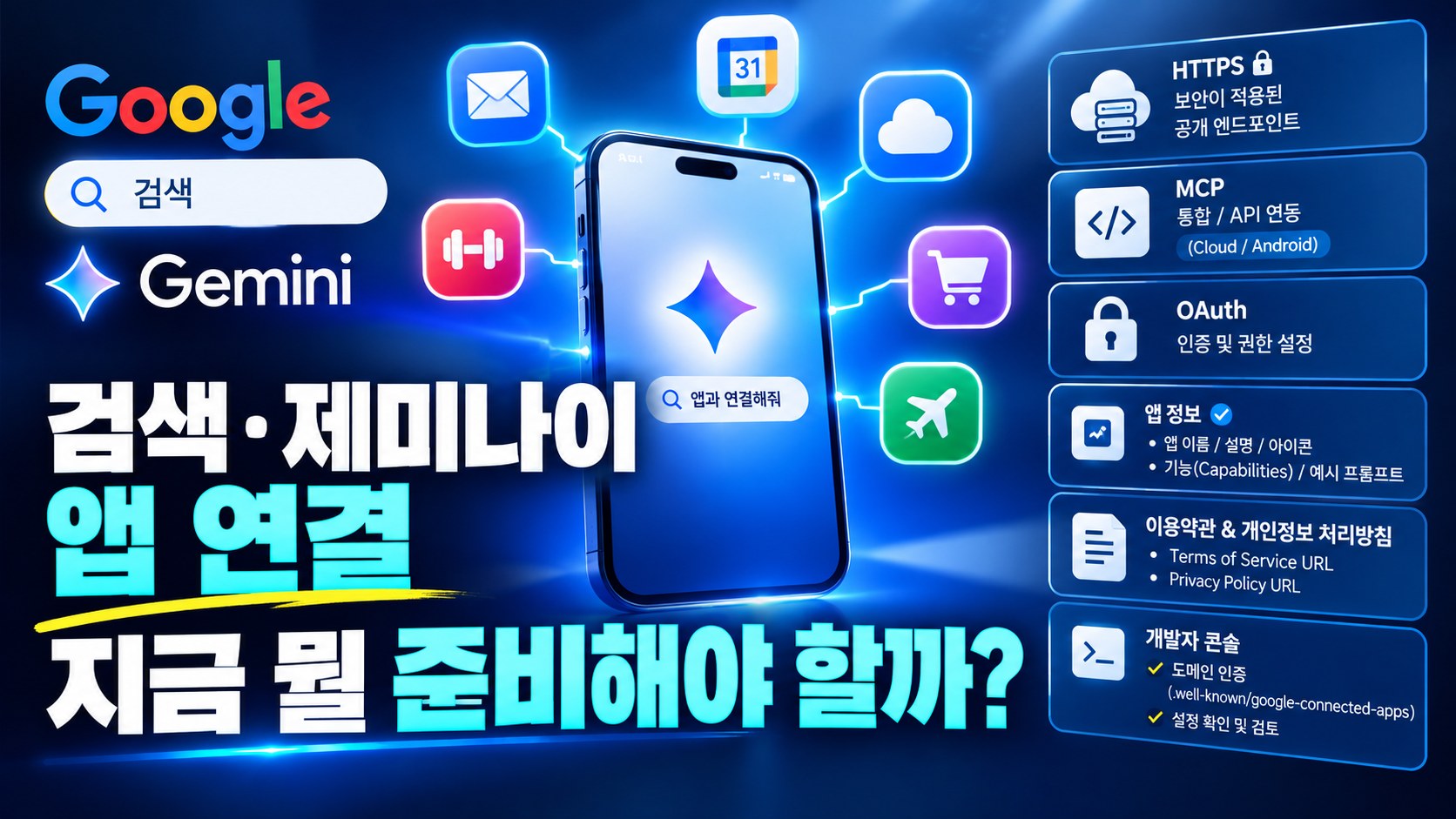
Google's preview launch of its Connected Apps Platform, which connects outside apps directly into Search and Gemini, opened up a new kind of visibility that's different from being cited as a link in an AI answer. Whether Korean services will be included hasn't been confirmed yet, but changes like this tend to start quietly and expand fast, so it's worth tracking the trend now. If you run your own app or API, there's no downside to understanding what this platform requires early.
How Connected Apps differ from being cited
Until now, showing up in AI search mostly meant your content got cited as a link inside an answer. Connected Apps work differently: they let users run an app's actual functions directly inside Search or Gemini. Google said the goal is an experience that goes beyond displaying information, like ordering groceries or building a music playlist, carrying tasks through to completion.
Can you apply right now
This is still a preview, and Google said the rollout will widen gradually to more developers, more countries, and more eligible products over the coming months. Right now the only companies live in Gemini are Adobe, Experian, Localiza, and Peloton, and there's no official word yet on whether Korean services are included. Rather than checking whether you can apply today, it's more realistic to bookmark the documentation and periodically check whether more countries have been added.
What if you don't have an app or API
Connecting requires building a cloud-hosted MCP server or an Android API, so this doesn't apply directly to smaller businesses without their own app or API. Still, the shift itself signals that AI is moving beyond search results toward actually completing tasks. If your business has recurring processes like bookings or orders, it's worth considering whether opening that system up as an API makes sense down the line.
What to check before connecting
Google requires developers to decide upfront whether their app will appear in Search, Gemini, or both. The two platforms have different user bases and usage contexts, so it's worth gauging early which one fits your service better. Since you can track traffic, latency, and error rates after registering, it also helps to decide beforehand which metrics you'll use to judge success.
Protecting your brand identity
Google said the right to manage your own branding, such as a verified logo or an authenticated account, stays with the developer. But since users have to manually add the app through Search's personalization settings for it to work, you may need a separate process to explain why they should add it. If your logo or account name isn't familiar, users may hesitate to add it, so it's worth building brand awareness alongside this.
How to measure whether it's working
Google said that once you register a Connected App, you can track traffic, latency, and error rates yourself, numbers that look quite different from what shows up in a typical analytics dashboard. If you don't decide beforehand what metrics define success, the numbers will pile up without a clear way to interpret them. Tracking metrics tied directly to real business goals, like completed bookings or orders, gives you a far more useful yardstick than raw execution counts.
Search or Gemini first
Right now Gemini integration is live first, and Search will follow within a few weeks with the same apps. Gemini users tend to make specific, conversational requests, while Search users are still mostly in information-seeking mode, so the effect of connecting may differ between the two. Rather than trying to tackle both at once, it's safer to focus first on whichever platform is closer to your actual users and push the other to a later phase.
Does fit vary by industry
Services with a clear completion point, like bookings, orders, or subscription management, fit the Connected Apps structure well. Services centered on providing information or browsing content may not have an obvious function to connect yet. Weigh which category your service falls into, and if it's not a clean fit, there's no need to rush.
The benefit also varies by industry. For businesses like delivery or booking where users repeat similar steps every time, having the app run directly inside Search alone can noticeably shorten the path to conversion. For businesses like consulting or quoting, where a person needs to review things manually, using it as more of an inquiry channel than full automation may be the more realistic approach.
For smaller teams
If you don't have much development capacity, checking Google's updates on supported countries and participation terms once a quarter is enough for now rather than preparing to connect immediately. Mapping out whether your service has a completion-style feature like booking or ordering, and whether that feature could realistically be opened as an API, will make the decision much faster once an opportunity does open up. Treating this as an observation phase for now, watching how the platform takes shape, isn't too late, and moving once the participation terms are more concrete won't mean missing out.